

How to Verify Shopify COD Orders Using OTP
OTP Verification helps verify genuine customers before they proceed to checkout. RabbitPay sends a One-Time Password (OTP) via SMS or WhatsApp, ensuring that only verified customers can continue with their order.Why Use OTP Verification?
OTP Verification helps you:- Reduce fake Cash on Delivery (COD) orders.
- Minimize Return-to-Origin (RTO) losses.
- Verify customer mobile numbers before checkout.
- Send OTP via SMS or WhatsApp.
- Provide a faster and more secure checkout experience.
Step 1: OTP Verification
When a customer clicks Checkout, RabbitPay displays the OTP Verification screen before allowing the customer to continue. The customer enters the OTP sent to their registered mobile number.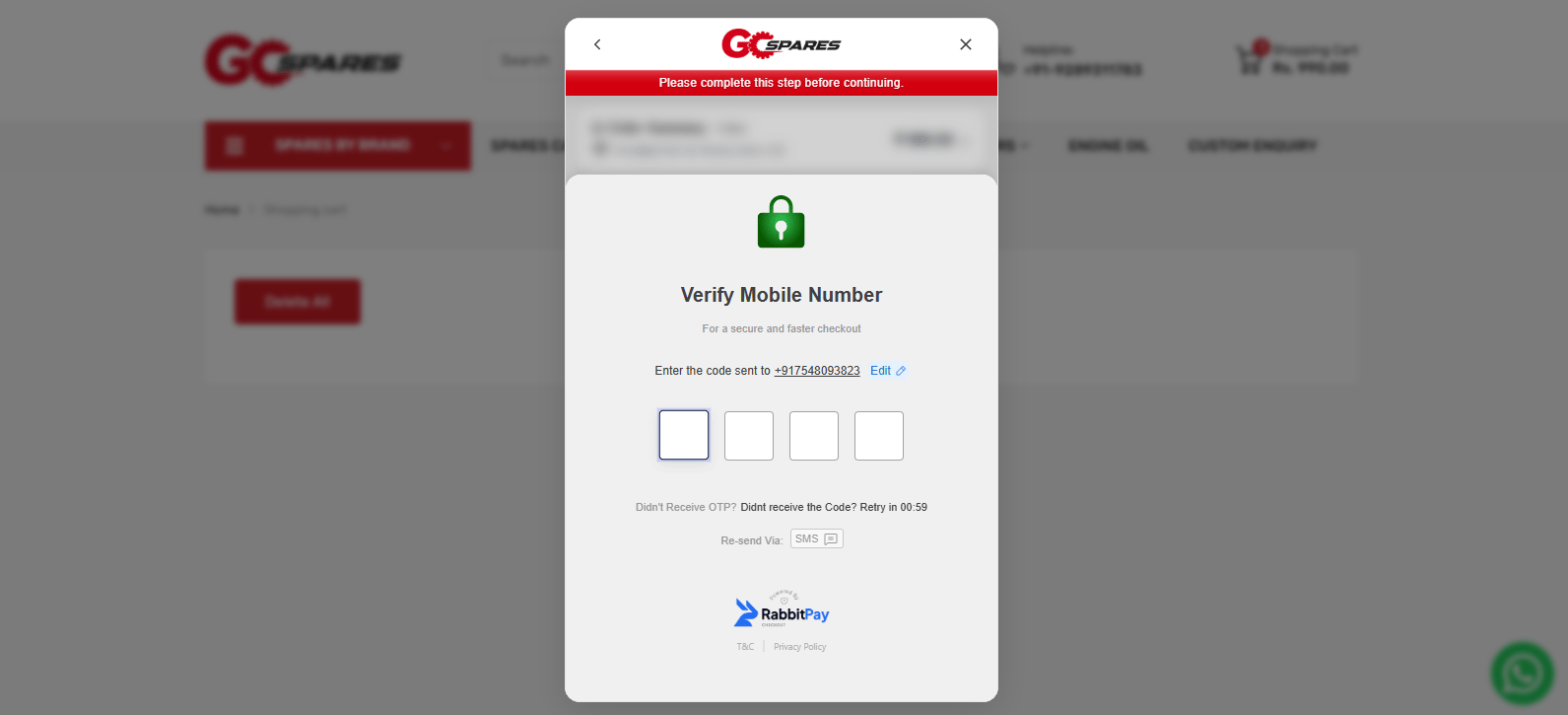
Step 2: Receive the OTP
RabbitPay sends a One-Time Password (OTP) to the customer’s registered mobile number through SMS or WhatsApp, depending on your configured notification channel.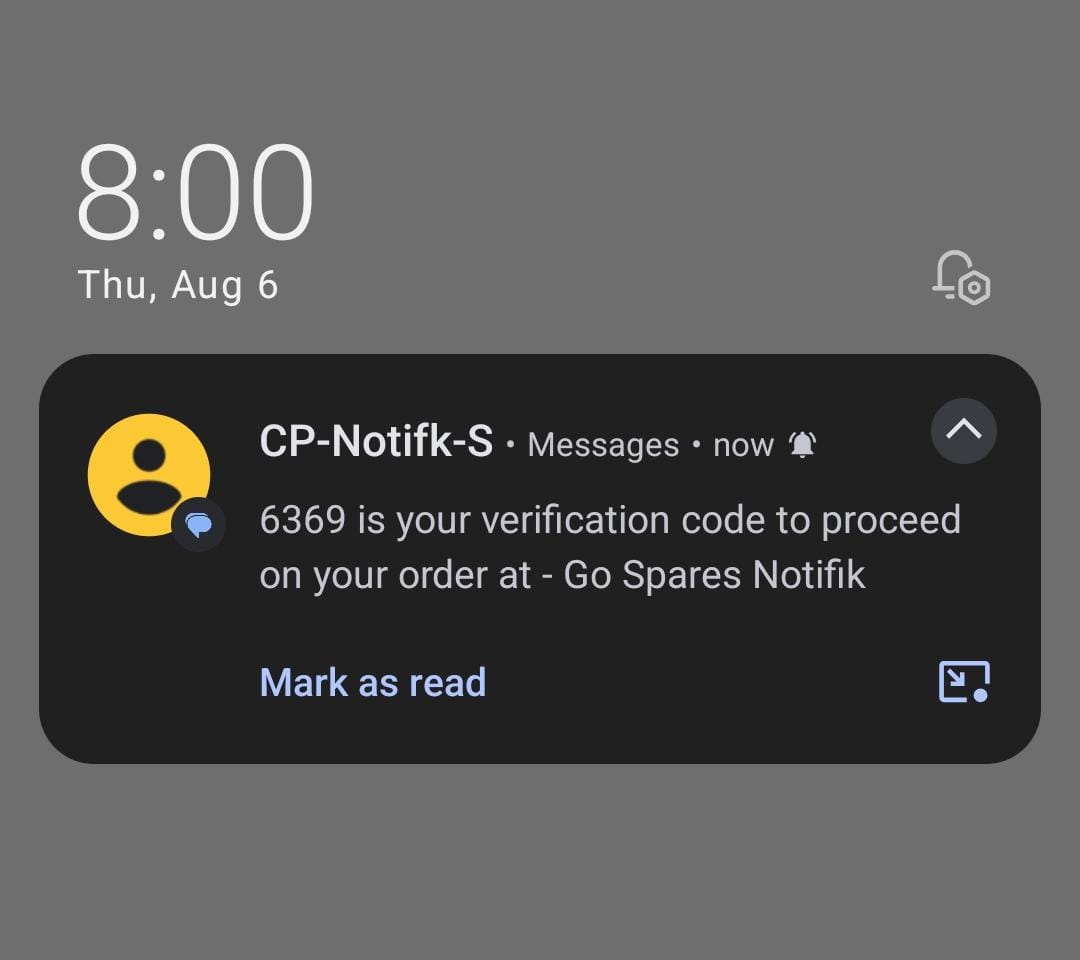
Step 3: Verify the Mobile Number
After entering the correct OTP, RabbitPay verifies the customer’s mobile number and securely authenticates the order.Step 4: Continue to Checkout
Once the mobile number is successfully verified, the customer is redirected to the RabbitPay checkout to review their order and choose a payment method.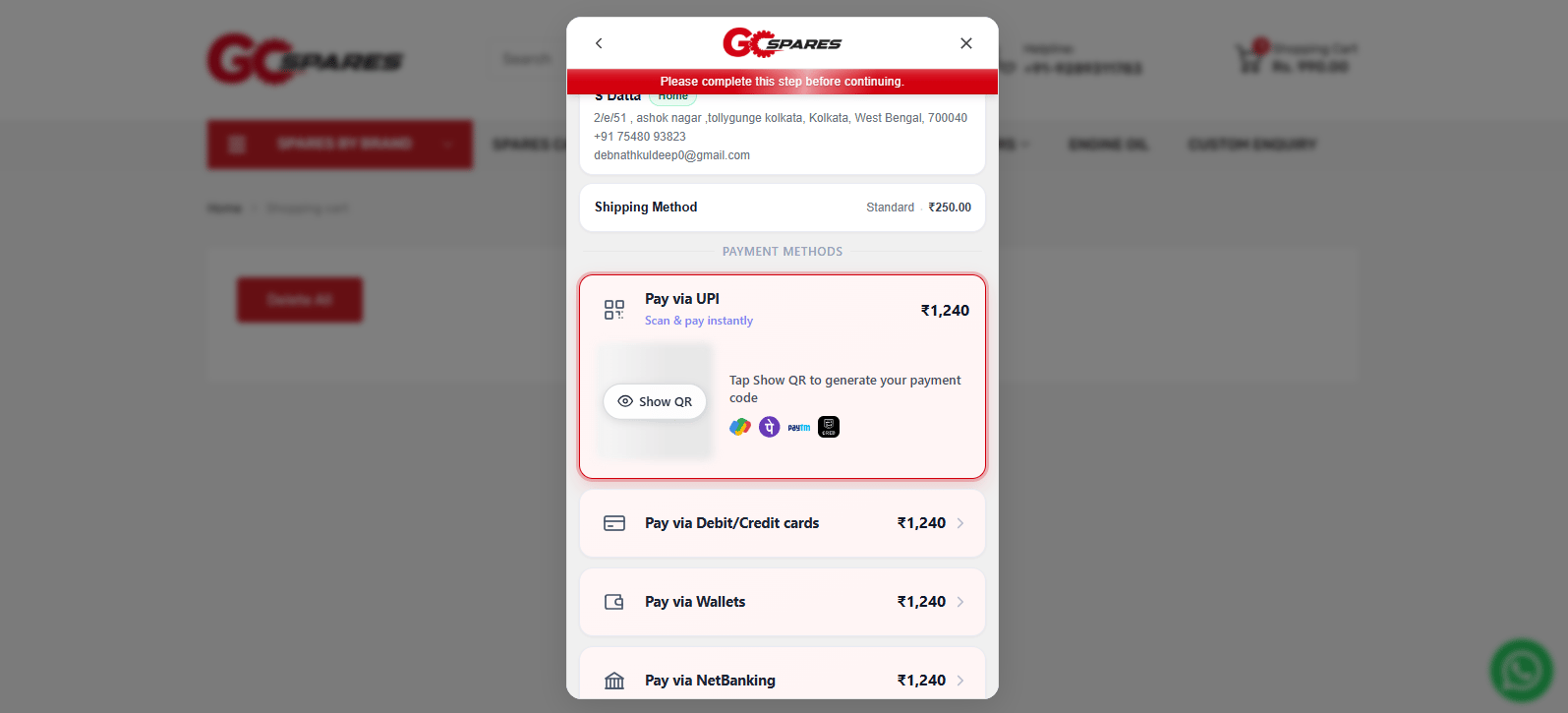
Checkout Experience
After successful OTP verification:- Customers continue to checkout without interruption.
- The verified mobile number is linked to the order.
- Payment methods are displayed based on your RabbitPay configuration.
- Customers can securely complete their purchase.